

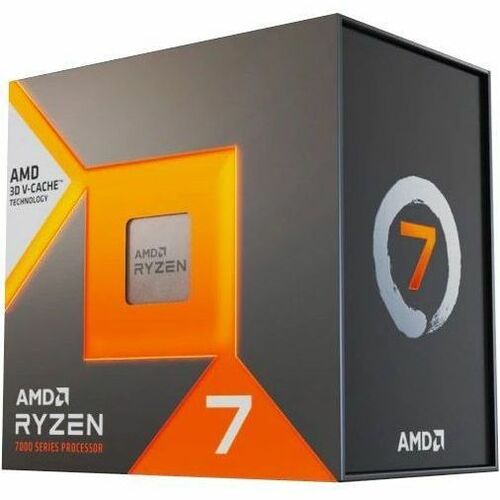
AMD Ryzen 7 7800X3D
AMD Ryzen 7 7800X3D
Couldn't load pickup availability
The Ultimate Gaming CPU: The AMD Ryzen 7 7800X3D
This is the one you get when you want to absolutely dominate in gaming. The AMD Ryzen 7 7800X3D is like giving your PC a cheat code, thanks to its special "3D V-Cache" that acts like a turbo boost for your games. It delivers incredibly fast frame rates and smooth gameplay, so you can focus on winning without worrying about lag or stutters. If gaming is your main mission, this is the processor for the job.
⭐ Highlights
⭐ Highlights
Unmatched Gaming FPS | Exceptional Efficiency | Future-Ready Platform | True Plug-and-Play | 8 Cores / 16 Threads
⚙️ Specifications
⚙️ Specifications
CPU Manufacturer: AMD
CPU Model: Ryzen 7 7800X3D
CPU Cache Size: 96 MB L3 Cache (3D V-Cache)
CPU Clock_Speed: 4.2 GHz (Base) / 5.0 GHz (Boost)
CPU Core: 8
CPU Thread: 16
CPU Integrated Graphic: AMD Radeon Graphics
CPU_Socket: AM5
CPU TDP: 120W
Share
The Post-Check Protocol
-
Socket & Chipset Match
Action: Before opening the box, verify your CPU model is officially supported by both the Motherboard Socket (e.g., LGA 1700 or AM5) and the Chipset (e.g., Z790 or B650). Why: A physical fit doesn't guarantee compatibility; installing an unsupported CPU may require a BIOS update, or the system simply won't boot.
-
Alignment & Orientation
Action: Locate the triangle or arrow on the corner of the CPU and match it exactly to the mark on the motherboard socket. Why: The CPU only seats in the socket one way; incorrect orientation is the primary cause of bent pins (AMD) or damaged socket lands (Intel).
-
Zero Force Rule
Action: Gently lower the CPU straight down into the socket; it should fall perfectly flush with zero force. Why: If the CPU does not sit flat on its own, it is misaligned, and forcing the retention arm will permanently damage the delicate pins or contacts.
-
The Retention Arm
Action: Once the CPU is seated, fully lower and lock the metal retention arm/lever until it clicks and is secured under the side tab. Why: This arm applies the necessary pressure to hold the CPU securely against the socket pins, ensuring electrical contact and preventing movement.
-
Post-Cooler Power
Action: After the CPU cooler is installed, ensure the main 8-pin CPU power cable (and any extra 4-pin cables) are firmly plugged into the motherboard header(s) before attempting to boot. Why: Forgetting this connection is a common beginner error that causes a dead system with no power or immediate shutdown on load.
-
Handle by Edges
Action: Only ever handle the CPU by the edges of the PCB (Printed Circuit Board), and work on a grounded, anti-static surface. Why: Touching the gold contacts or pins transfers static electricity and skin oils, which can degrade electrical connections and cause system instability.